

Didi
Why You Need It
Didi is the easiest way to get a ride in any Chinese city. Hailing taxis from the street is hit-or-miss for non-Chinese speakers, and Uber doesn't operate in mainland China. Didi solves the language problem with an English interface, shows you the price upfront, and lets you pay in-app — no cash needed.
The main Didi app has a built-in English mode. You can also use Didi as a mini-program inside Alipay or WeChat, which can be smoother for foreign cards.
Installation
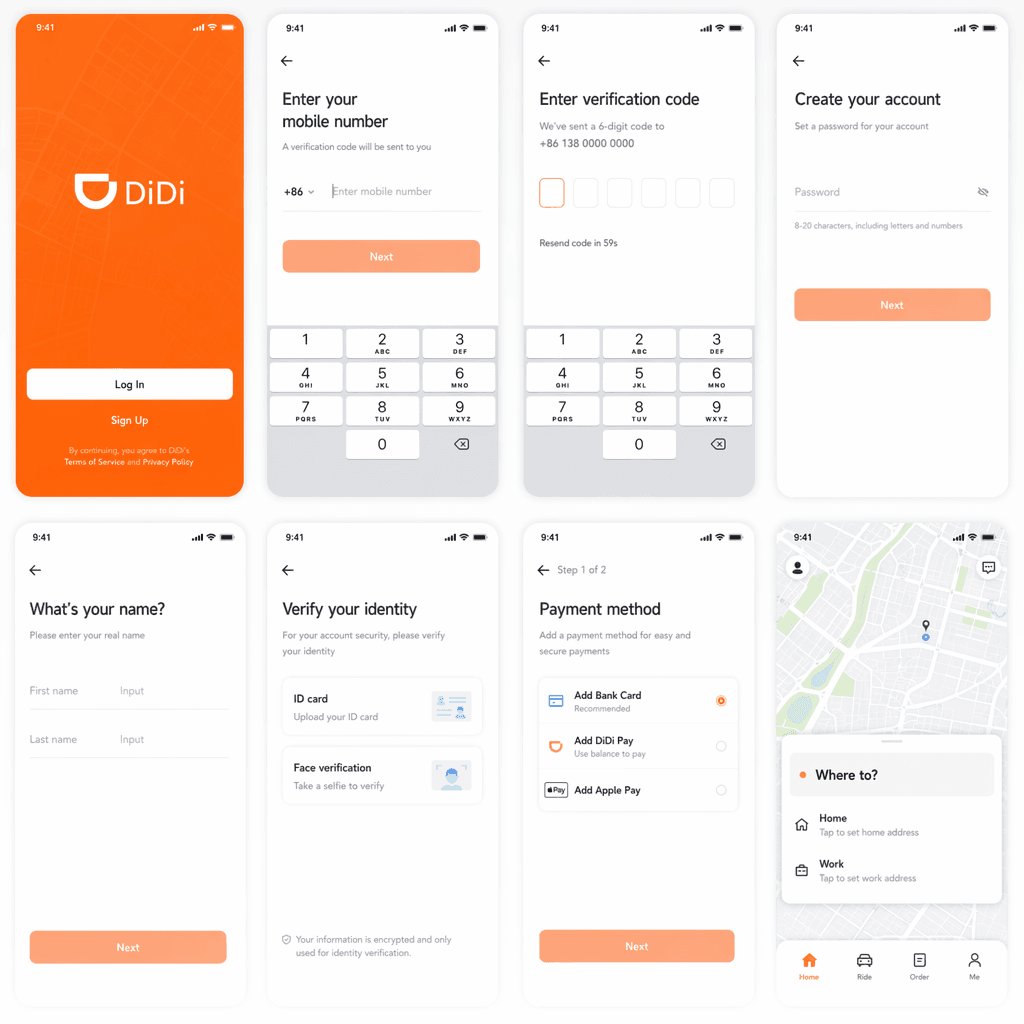
1. Download Didi
Search 'DiDi Rider' in the App Store (iOS) or Google Play (Android). Install before arriving in China — Google Play is blocked once you're inside.
2. Register with your phone number
Open the app and sign up using your international mobile number. You'll receive an SMS verification code.
3. Switch to English
Go to Me → Settings → Language and select English. Some menus and place names may stay in Chinese.
4. Link a payment method
Add Alipay, WeChat Pay, or an international Visa/Mastercard. Alipay and WeChat Pay are the most reliable for foreign users.
Booking a Ride
1. Set your pickup point
The app auto-detects your location — drag the pin to fine-tune it. Hotel lobbies are easier pickups than busy streets.
2. Enter your destination
Type in English or paste the Chinese name copied from a maps app. Showing the Chinese address removes any ambiguity.
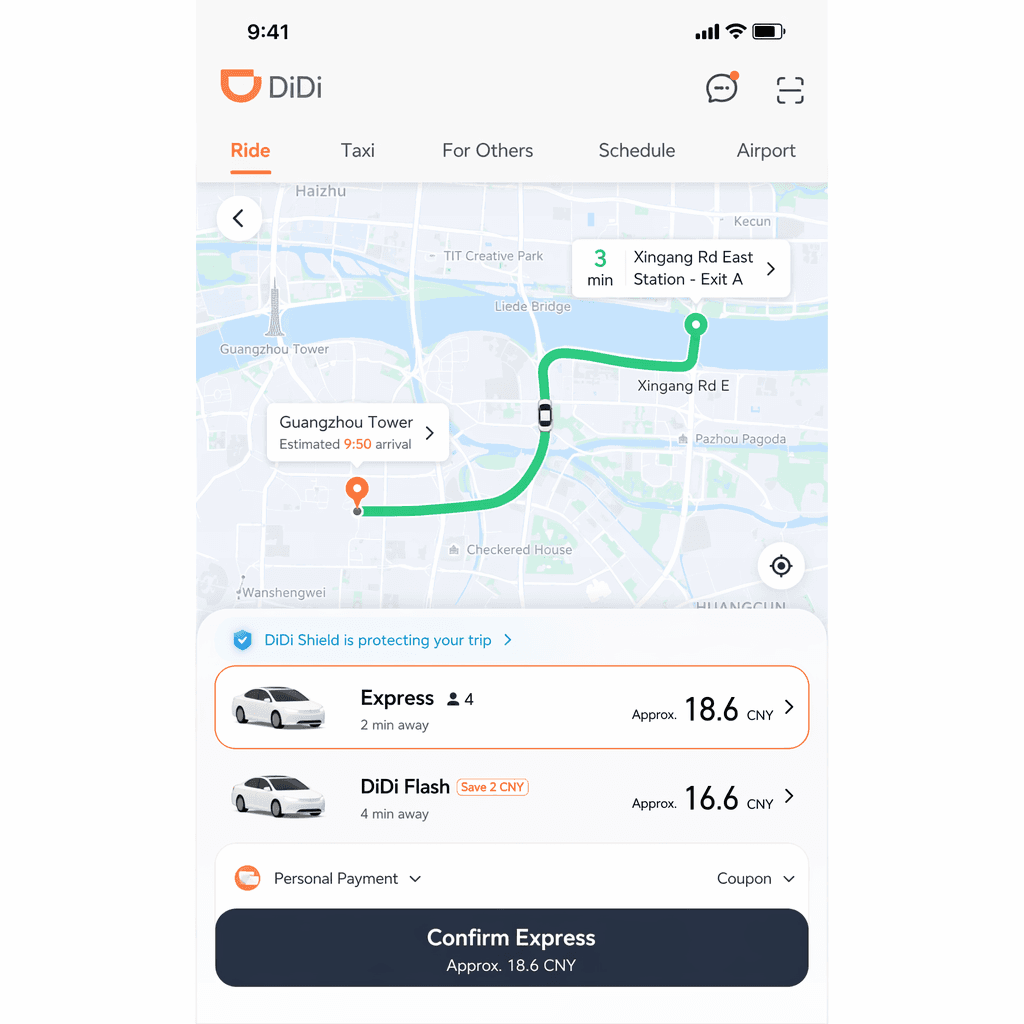
3. Choose a ride type
Express is the budget option, Premier is a higher-end car with a professional driver, Taxi calls a metered taxi, and Hitch is a carpool.
4. Confirm and track
Confirm the price estimate, then track the driver, license plate, and ETA on the map.
5. Pay automatically
Payment is deducted from your linked method when the trip ends. Tipping isn't expected.
Usage Tips
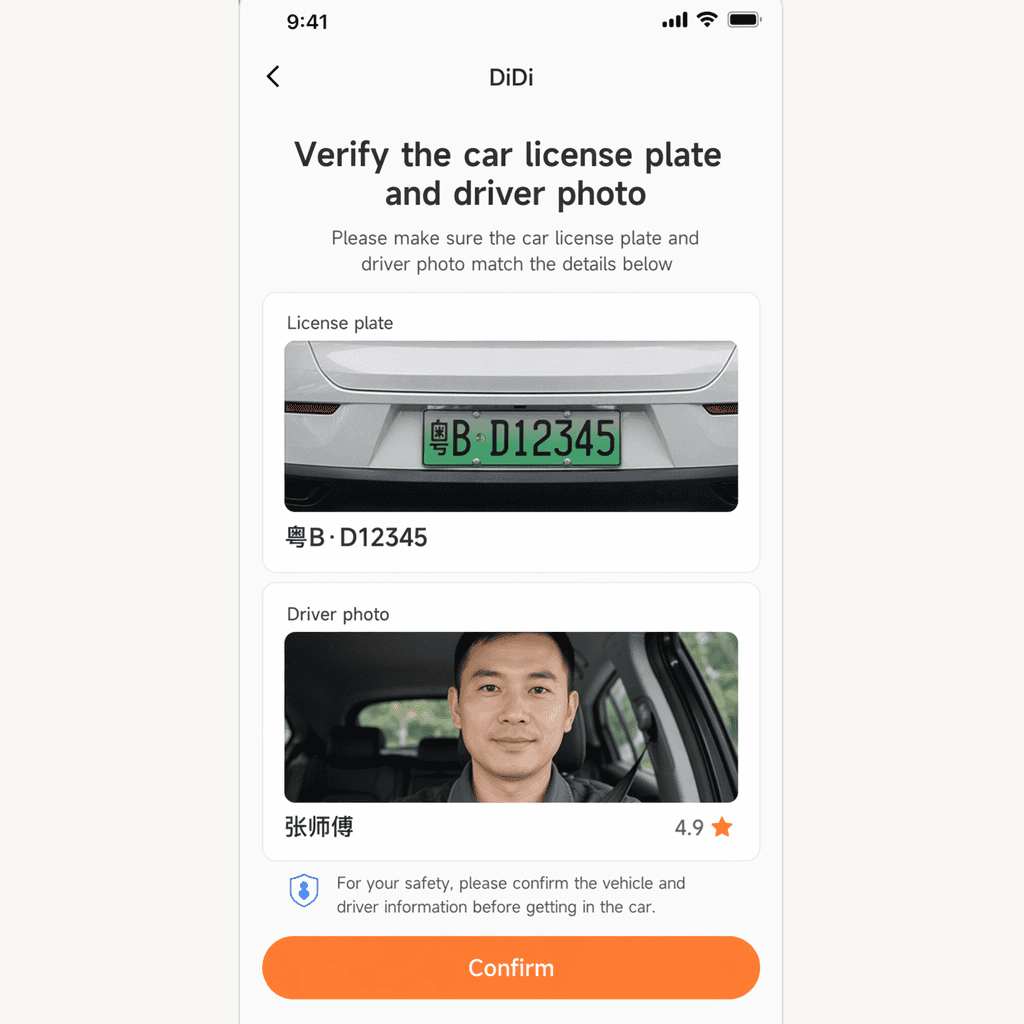
- Verify the car: Always check the license plate and driver photo before getting in. Didi shows both in the app.
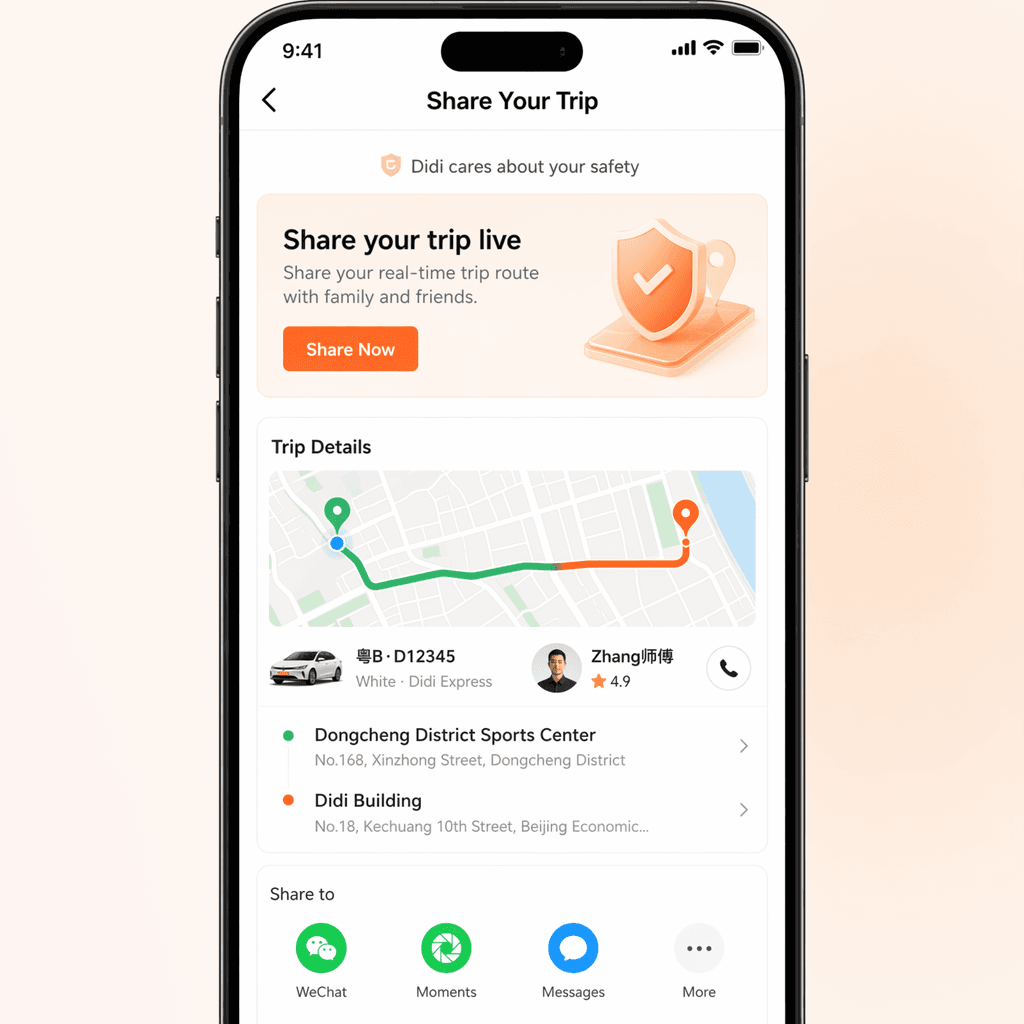
- Share your trip: Tap the share icon to send the live route to a friend for safety.
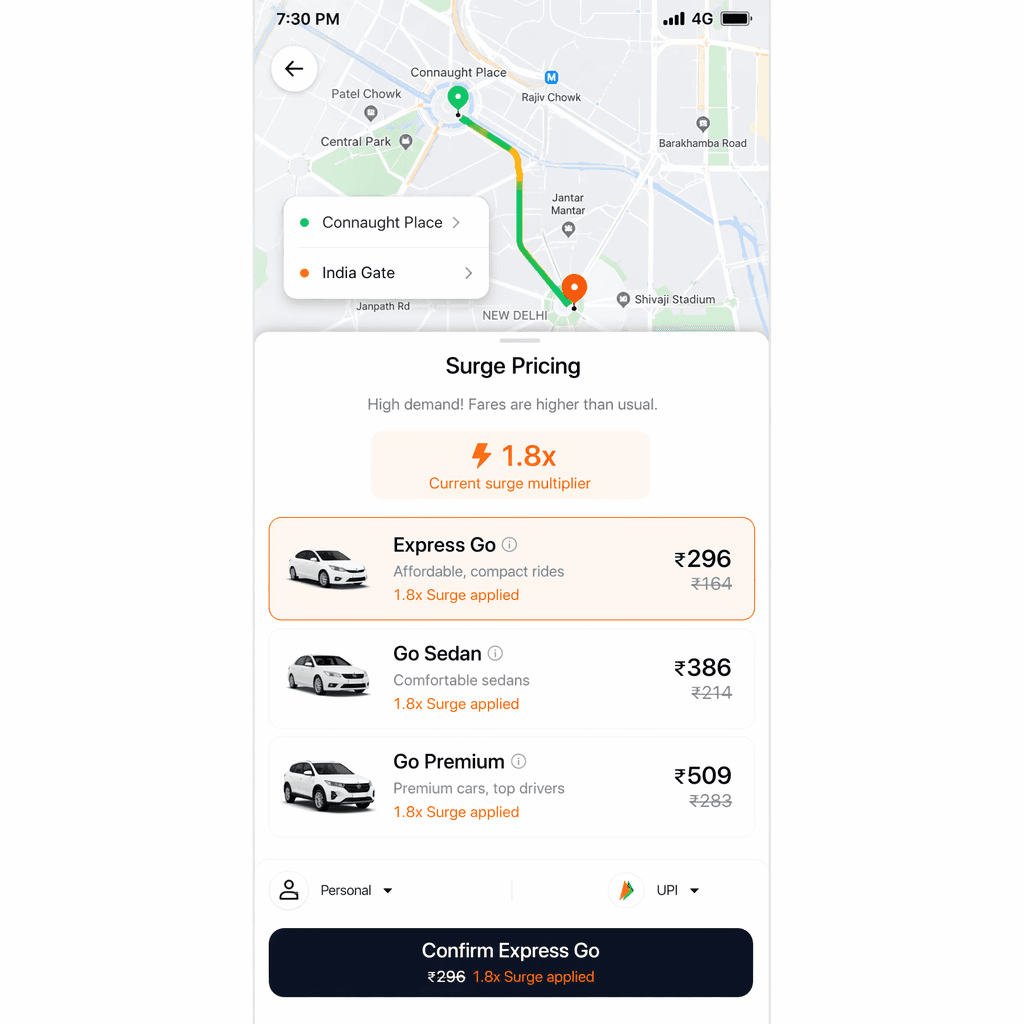
- Avoid surge hours: Prices spike during 7–9 AM and 5–7 PM weekdays, and during heavy rain.
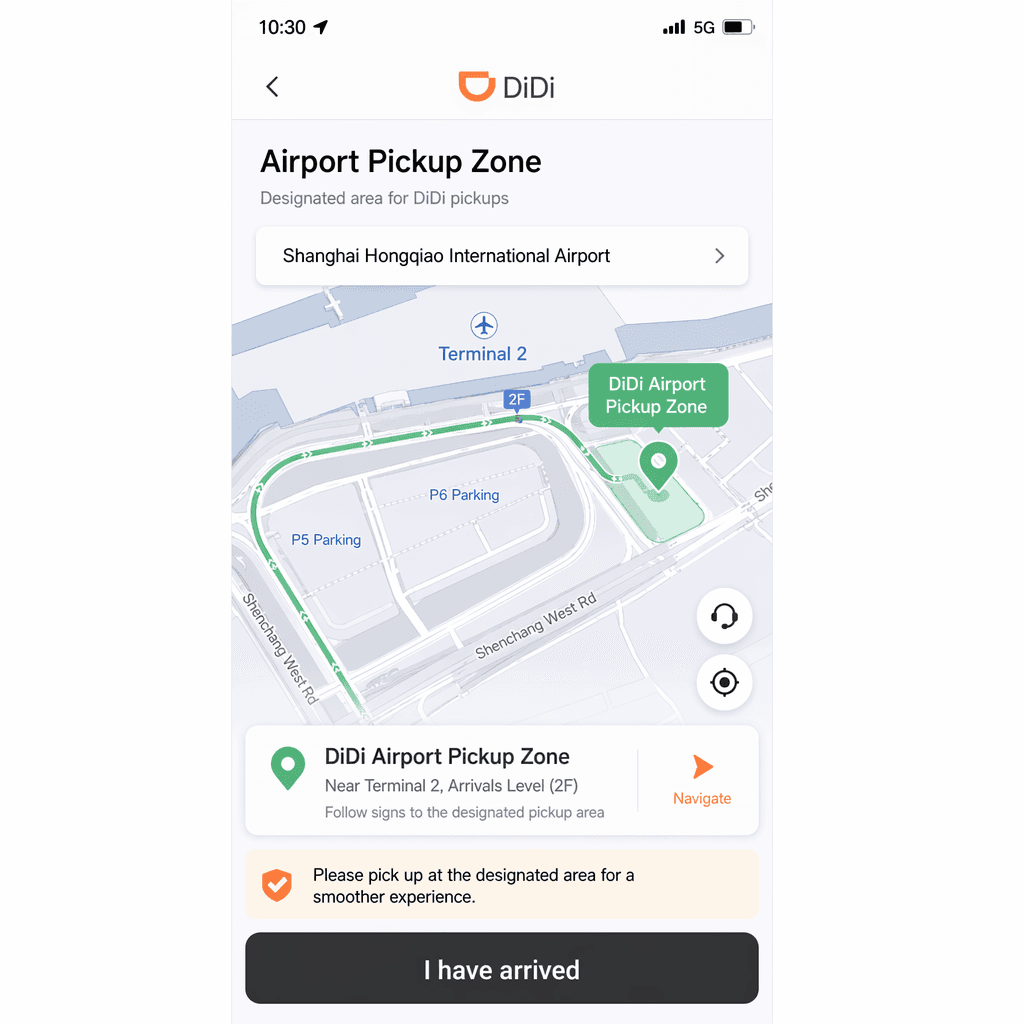
- Airport pickup: Most major airports have a designated Didi pickup zone — follow the signs in the arrivals hall.
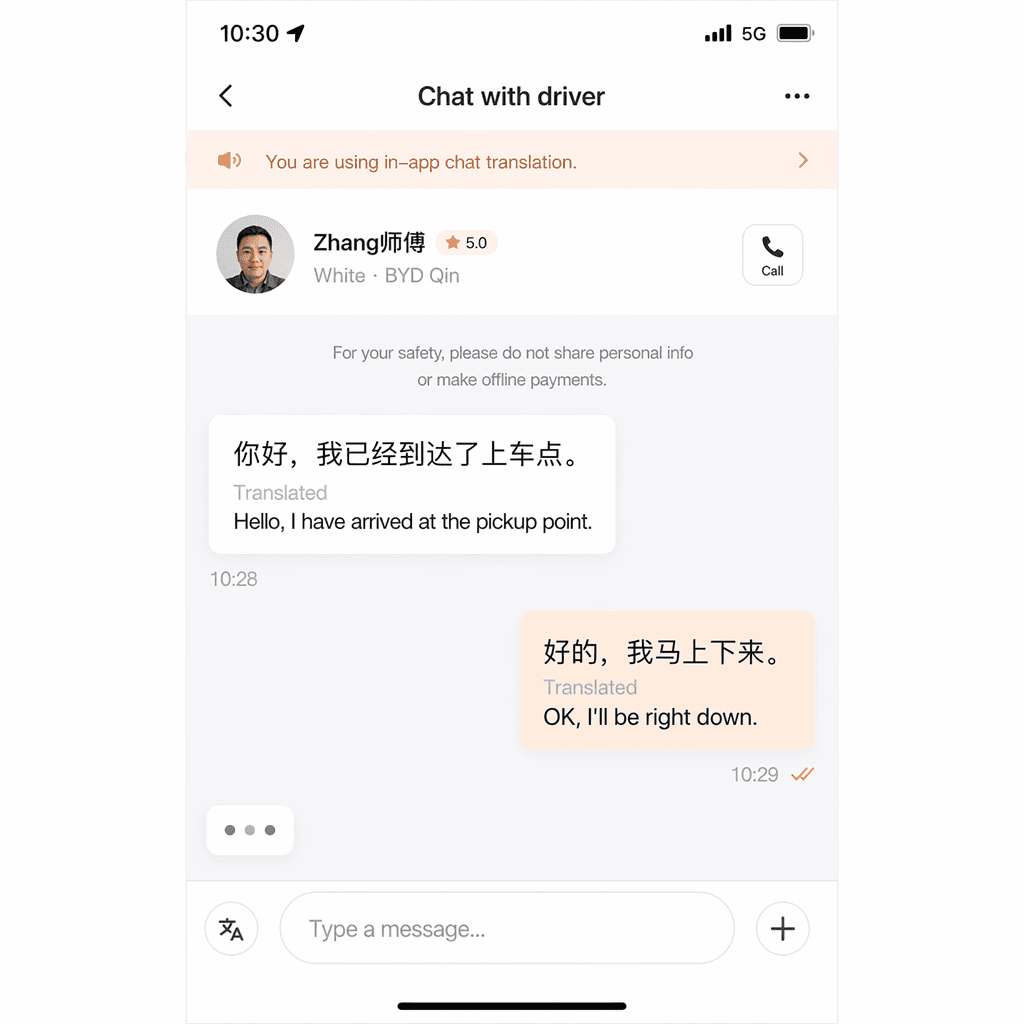
- Communication: The app has a built-in chat translator so you can message your driver in English.
Troubleshooting
International card not working? Switch to paying via Alipay or WeChat Pay — both link to your international card and route the payment more reliably.
Driver can't find you? Use the in-app chat (it auto-translates) or move to a more visible spot. Sharing your live location helps.
No drivers available? During peak times, try a different ride type or wait a few minutes — surge often clears quickly.