

Why You Need It
WeChat is how nearly everyone in China communicates, sends money, and books services. Tourists need it to chat with hotels, drivers, tour guides, and shop owners — and to use WeChat Pay, which is accepted almost everywhere alongside Alipay. Without WeChat, day-to-day interactions in China become significantly harder.
Create your WeChat account before you arrive in China. New accounts often need to be verified by an existing WeChat user, which is much easier to arrange at home.
Installation
1. Download WeChat
Search 'WeChat' in the App Store (iOS) or Google Play (Android) and install it.
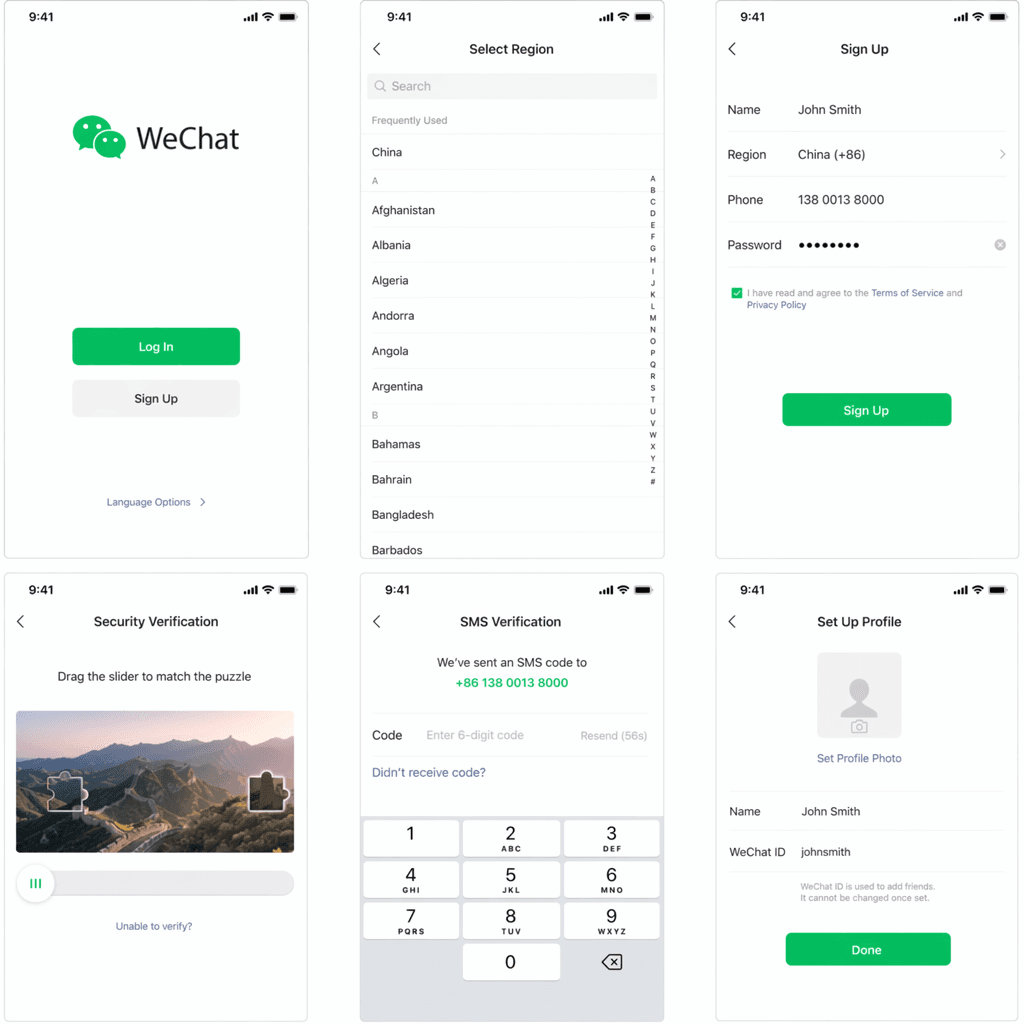
2. Register with your phone number
Open WeChat and tap 'Sign Up'. Enter your international phone number including country code (e.g. +1 for the US) and verify with the SMS code.
3. Set name and password
Choose a display name and a strong password. This is how contacts will identify you.
4. Complete friend verification if asked
WeChat may ask an existing user to scan your QR code to confirm you are a real person. Ask a friend who already uses WeChat, or your hotel reception once you arrive.
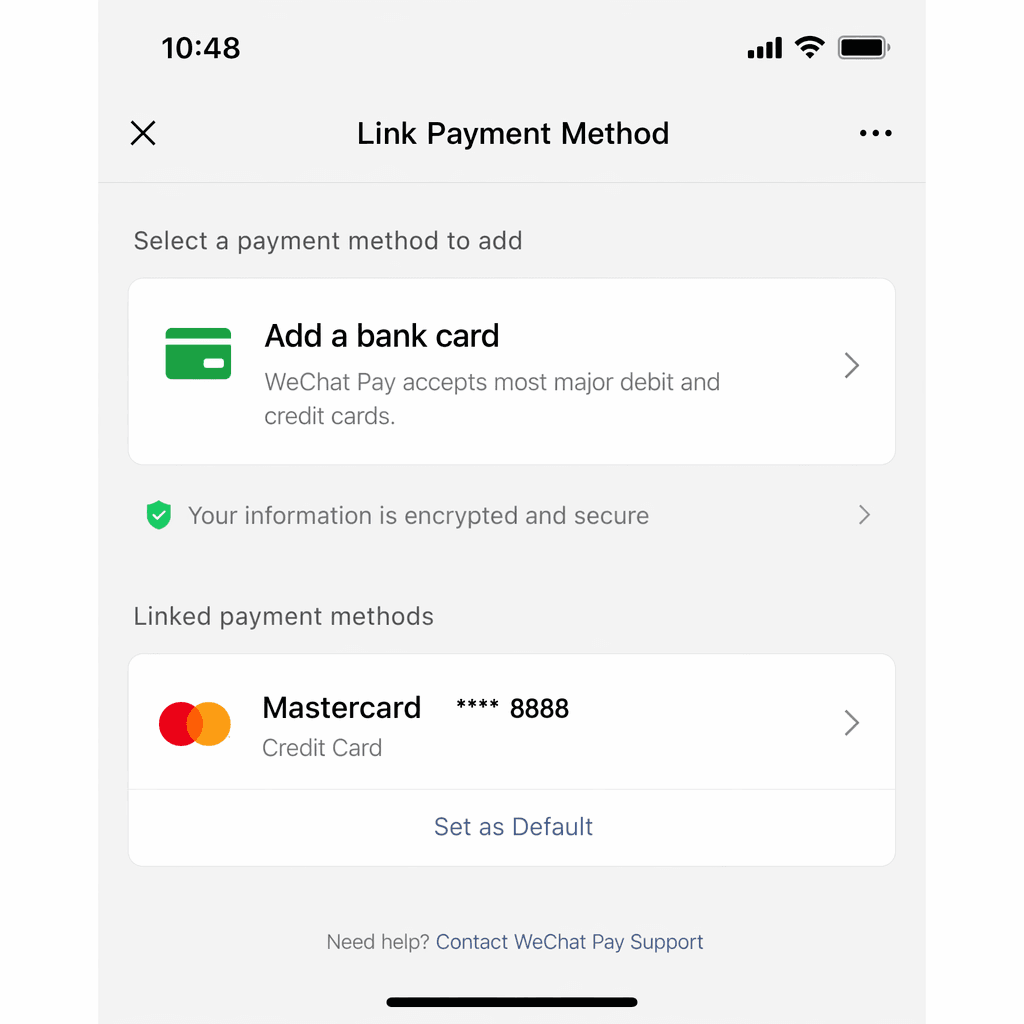
Setup: Link a Payment Method
WeChat Pay now accepts international Visa and Mastercard, so you don't need a Chinese bank account. Payments are processed directly from your card.
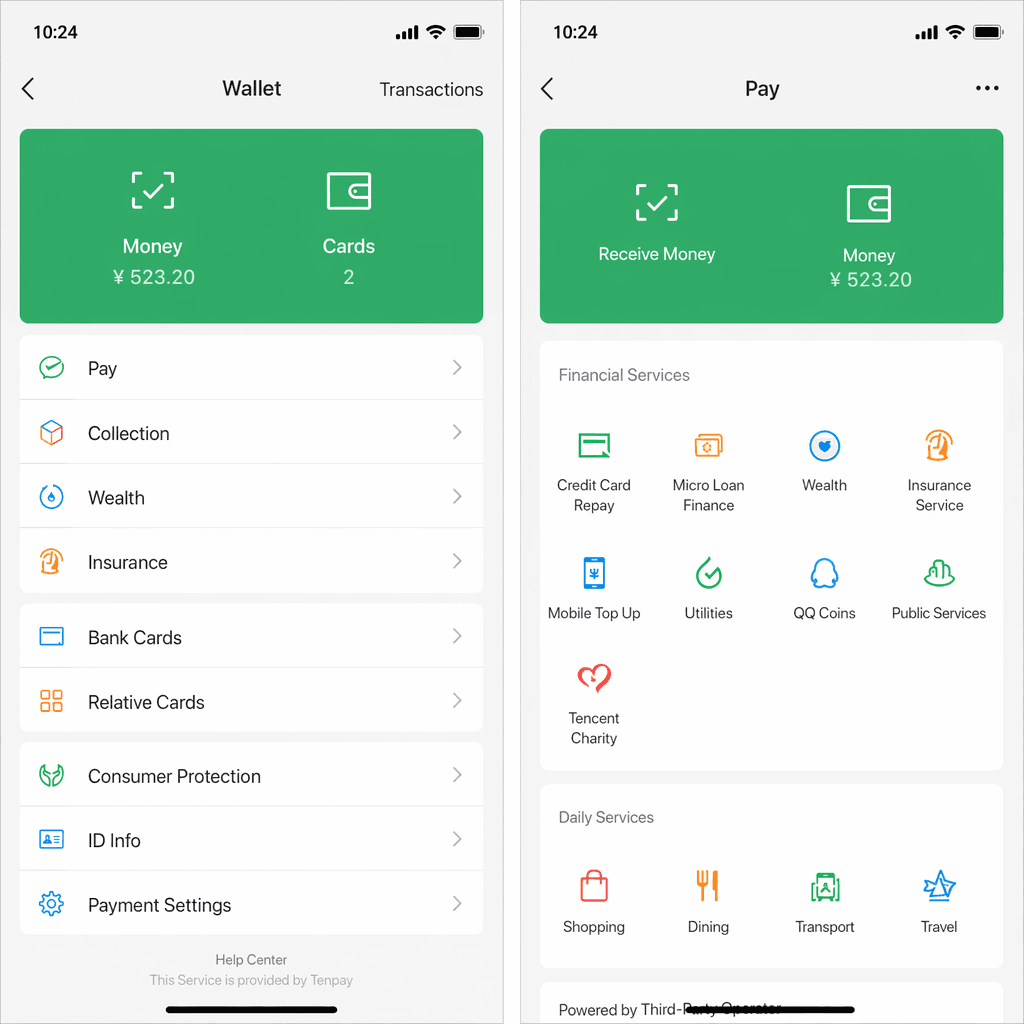
1. Open Me → Services → Wallet
Tap the 'Me' tab at the bottom right, then go to Services → Wallet.
2. Add a card
Tap 'Cards' → 'Add a Card' and enter your international Visa or Mastercard details.
3. Verify your identity
Upload a photo of your passport and take a selfie for face comparison. Confirmation usually arrives within minutes.
4. Set a 6-digit payment PIN
This PIN is required for every transaction. Enable Face ID or fingerprint as an extra layer.
Usage Tips
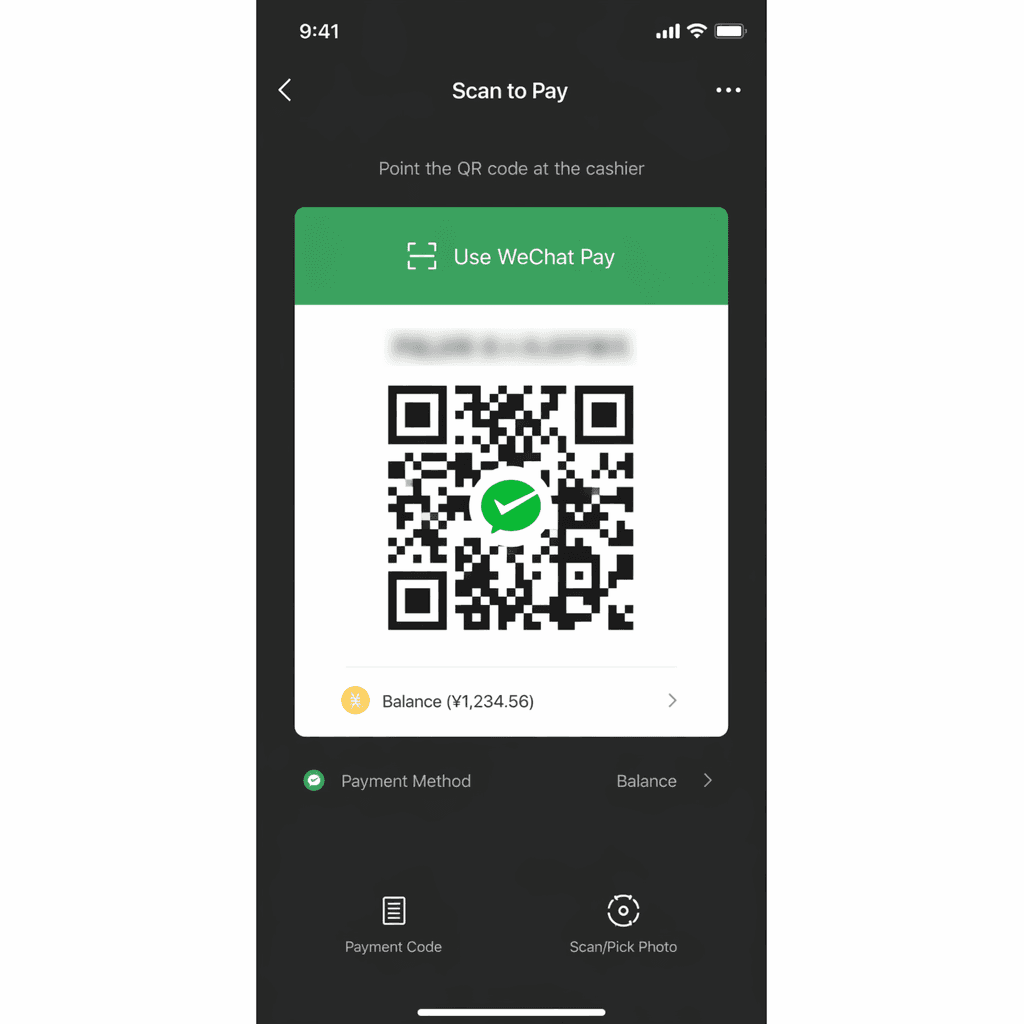
- Scan to pay: Tap the scan icon at the top right to scan a merchant's QR code, or open Me → Services → Money to show your own payment QR code.
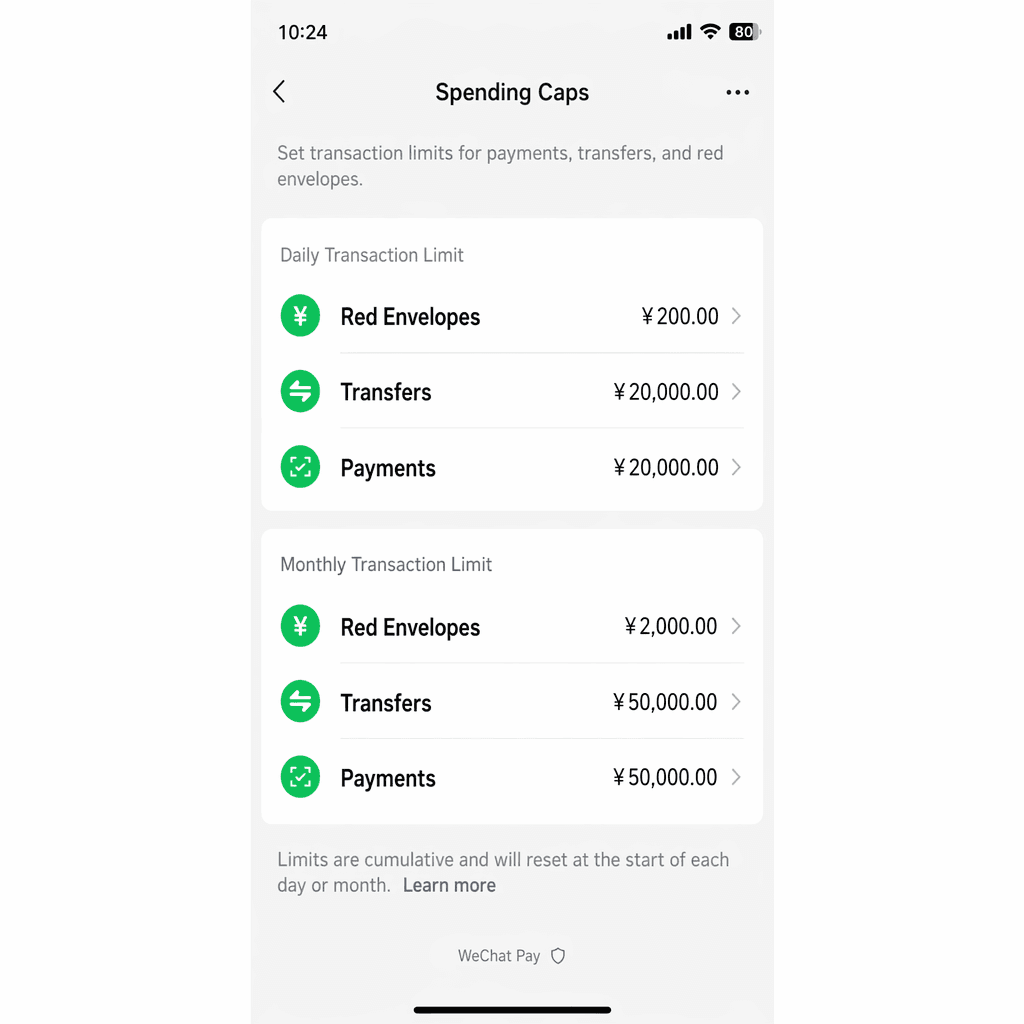
- Spending caps: Roughly ¥6,000 per transaction, ¥50,000 per month, and ¥60,000 per year — enough for most tourist needs.
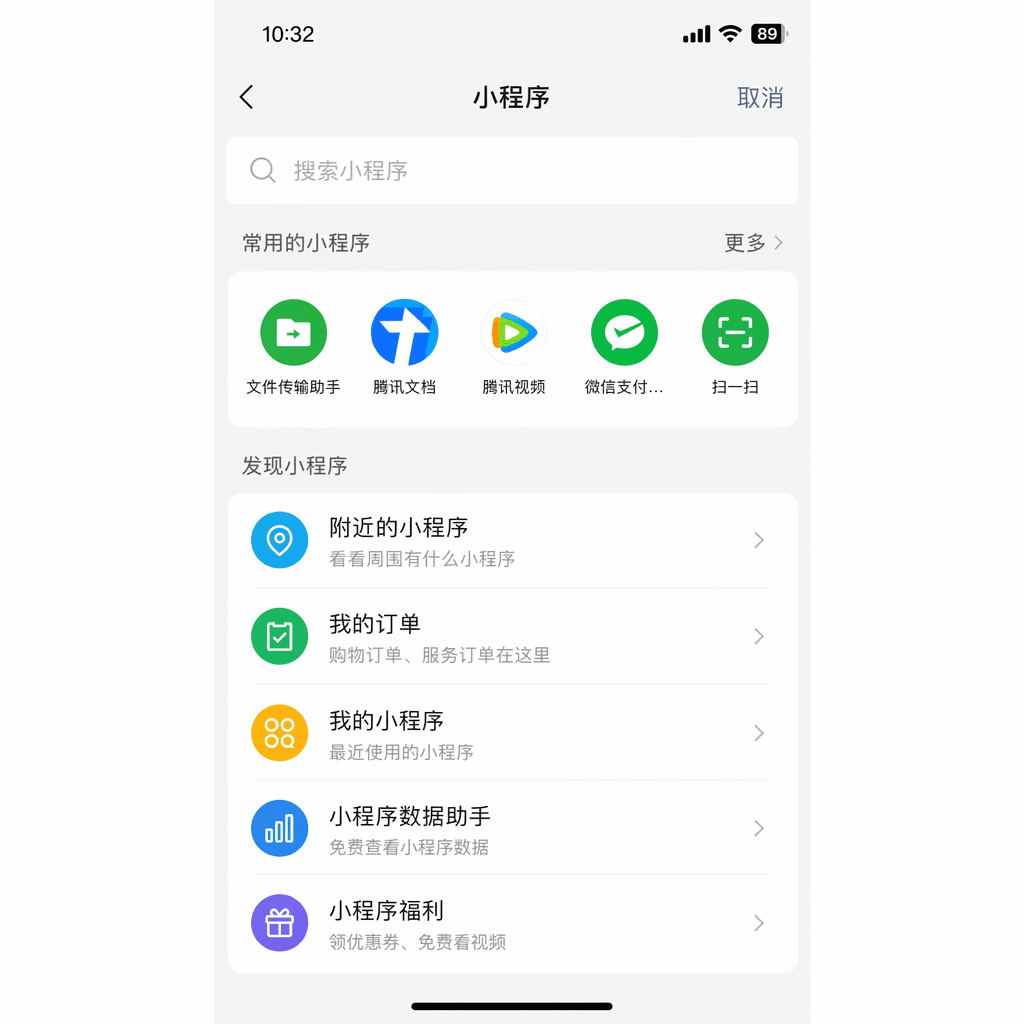
- Mini Programs: Many services (bike share, food, attractions, transit) live as mini-apps inside WeChat. Search them on the Discover tab.
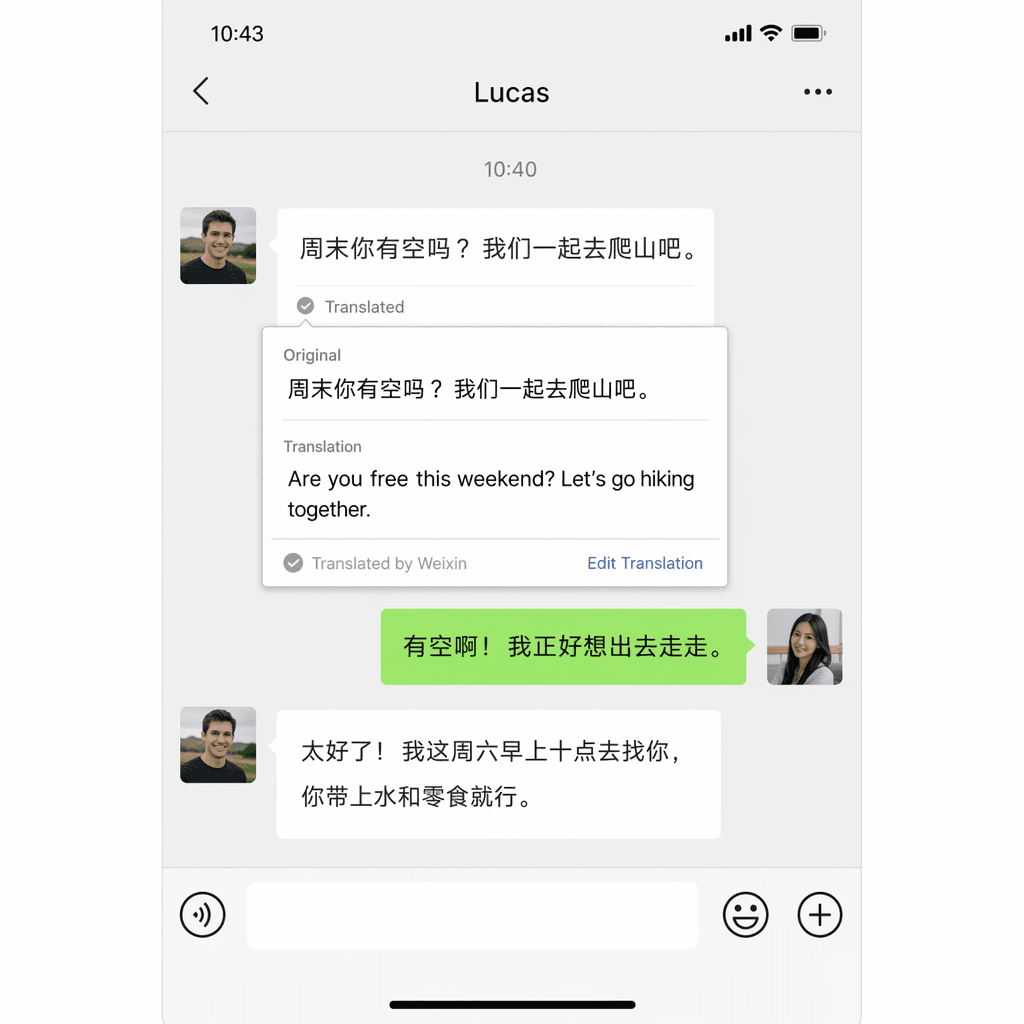
- WeChat Translate: Long-press any message and tap Translate for instant in-chat translation.
- Backup cash: Carry ¥500–¥1,000 in small bills as a fallback in case payments fail.
Troubleshooting
Account verification stuck? Ask your hotel reception — most staff are happy to scan your verification QR code.
Card not accepted? Some prepaid and virtual cards are rejected. Use a physical Visa or Mastercard from a major issuer.
Lost your phone? Freeze your account immediately at weixin110.qq.com and contact your card issuer.