

Alipay
Why You Need It
Alipay is accepted at virtually every shop, restaurant, transport service, and market in China — including small street vendors who don't accept cash or foreign cards. It handles shopping, hotel bookings, train tickets, public transit, food delivery, and city services all in one app. Without it, day-to-day life in China becomes significantly harder for tourists.
Tourists can now use Alipay with an international credit or debit card — no Chinese bank account required.
Installation
1. Download Alipay
Search 'Alipay' in the App Store (iOS) or Google Play (Android). Install the version labeled 'Alipay - Simplify Your Life'.

2. Register with your phone number
Open Alipay and register using your international phone number. Select your country/region and verify with the SMS code sent to you.
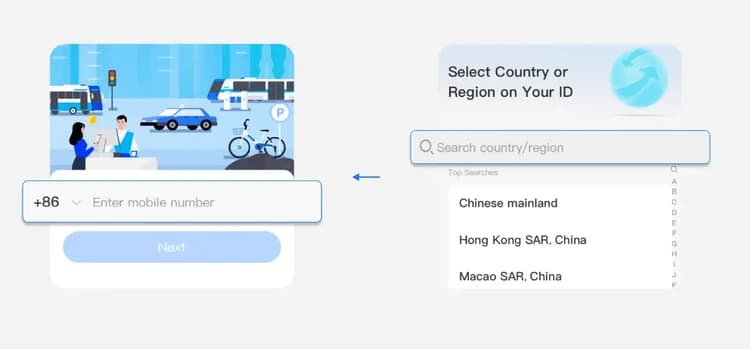
3. Select 'International User'
When prompted, choose 'International' and select your country.
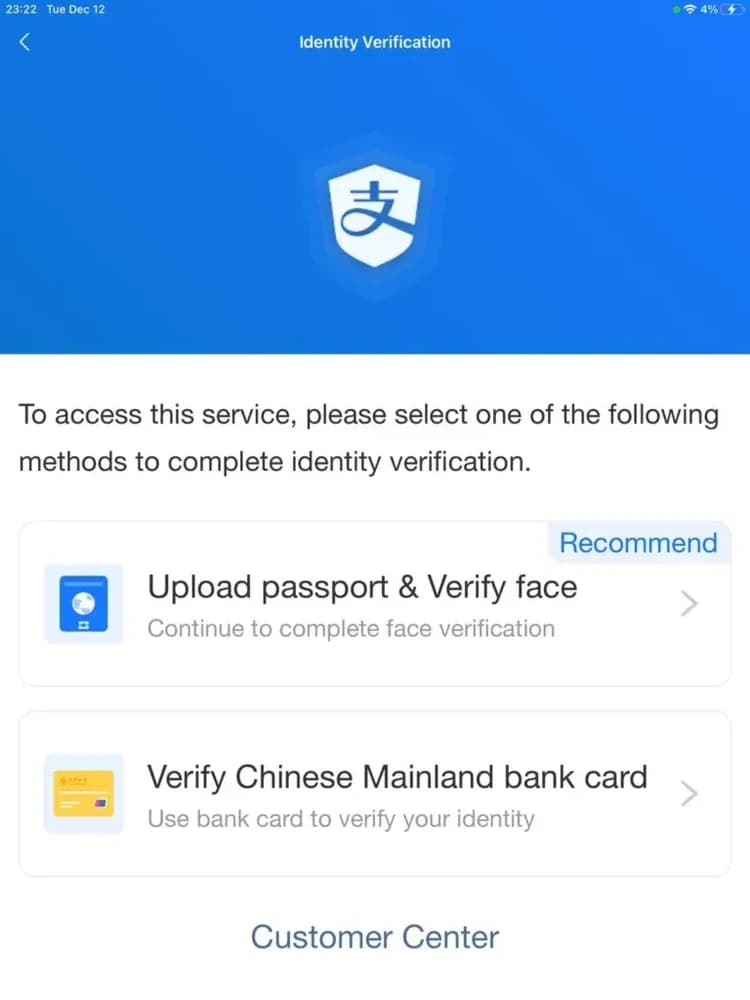
4. Verify your identity
Go to My → Settings → Account & Security → Identity Verification. Upload your passport photo and complete face recognition.
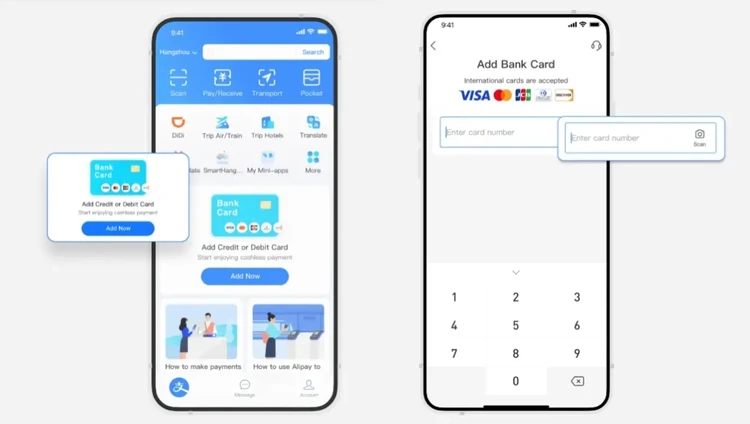
5. Add a payment card
Tap My → Bank Cards → Add Card. Add your international Visa, Mastercard, JCB, Discover, or Diners Club card and verify via OTP.

Usage Tips
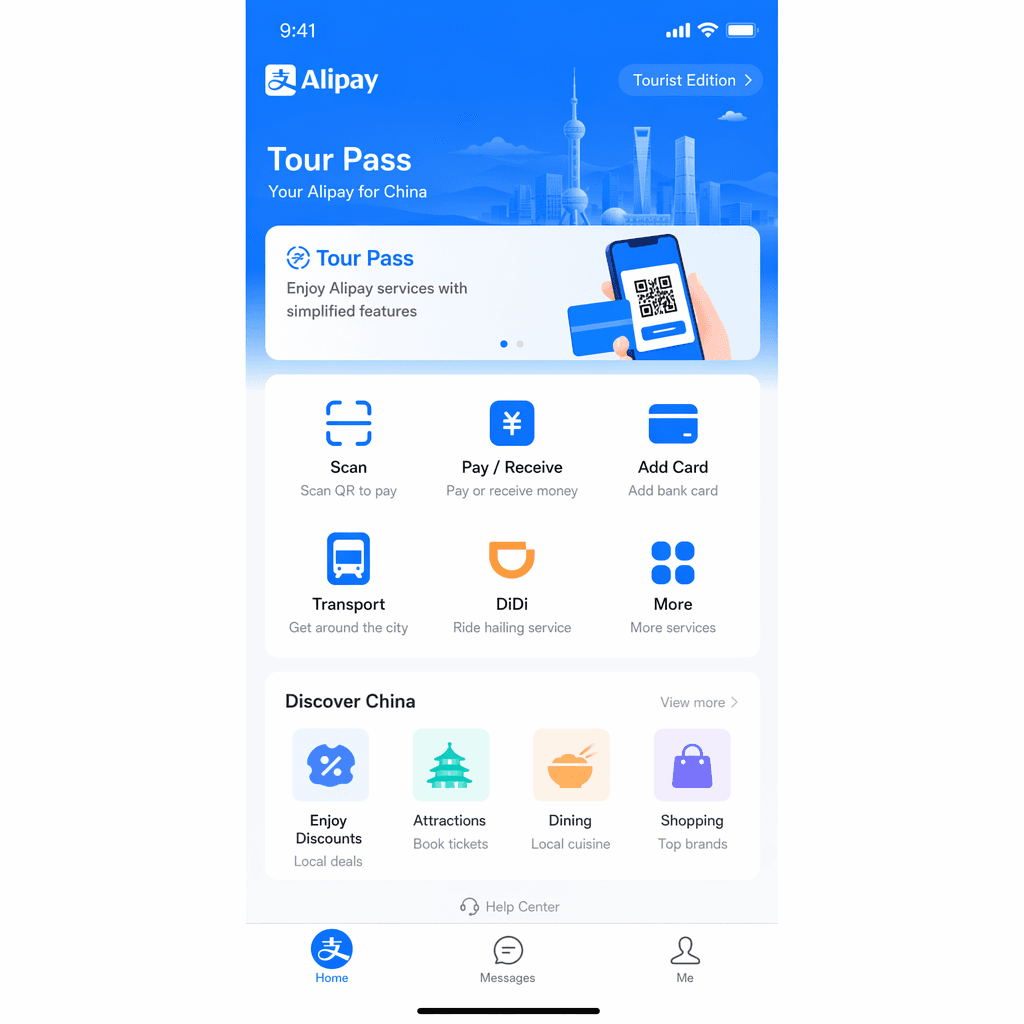
- Tour Pass: Alipay offers a special Tourist Edition with simplified features — look for it in the app.
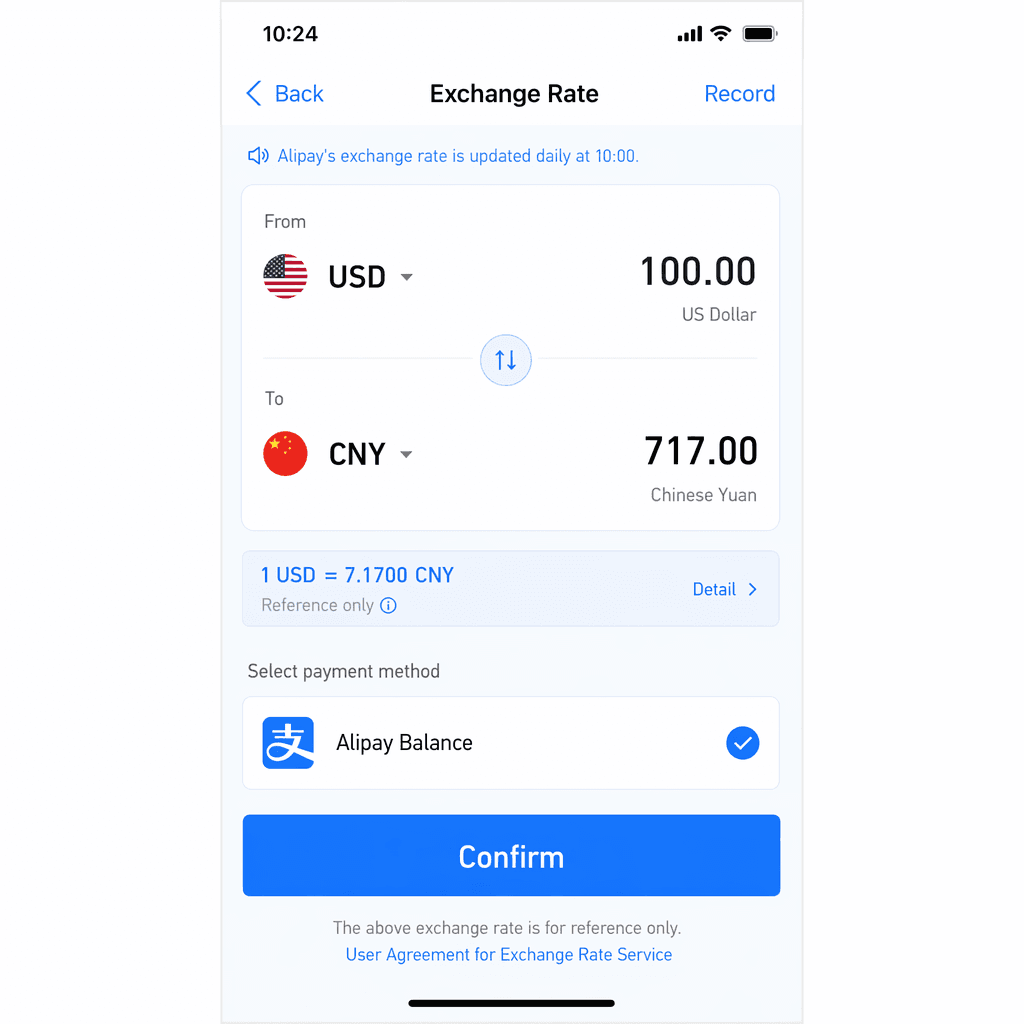
- Exchange rate: Alipay charges in your home currency. Check the rate before large purchases.
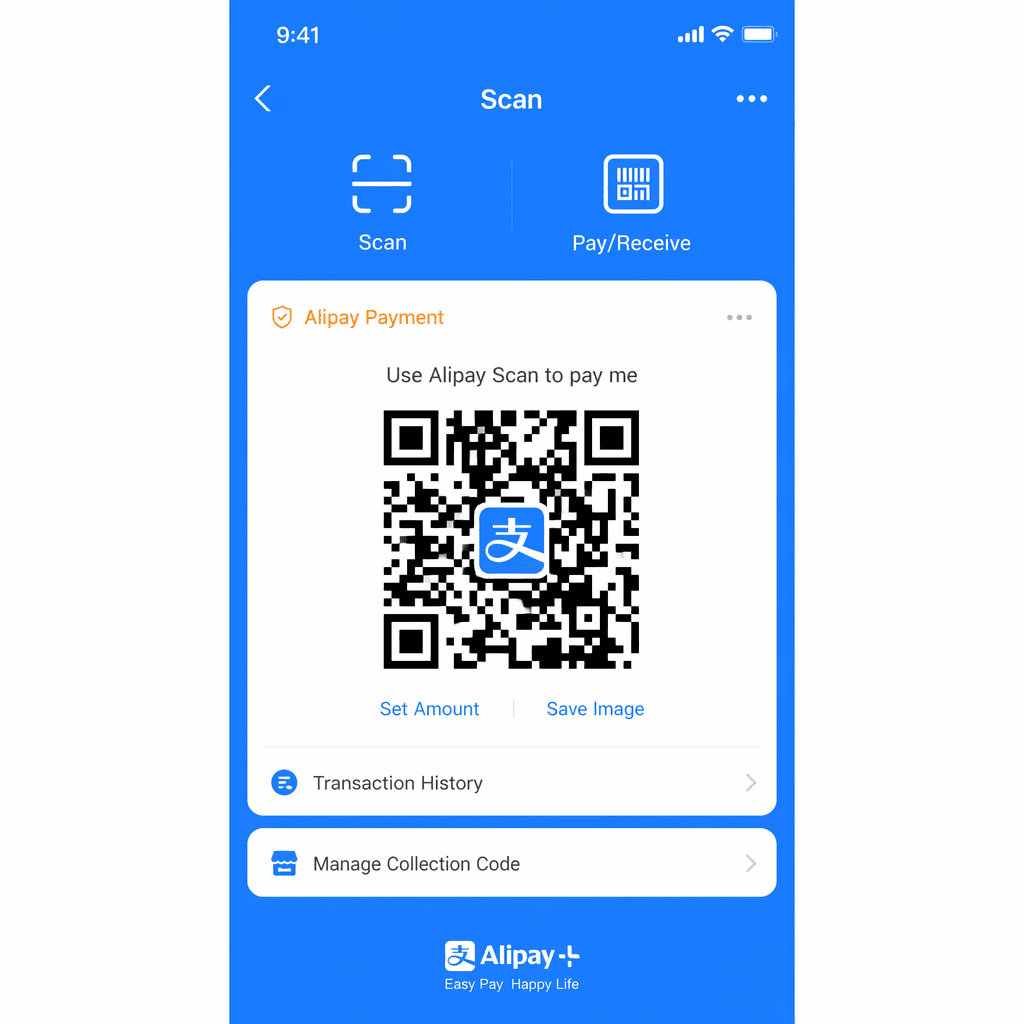
- Scan or be scanned: Show your Alipay QR code (tap the QR icon on the home screen) to be scanned at checkout, or tap Scan to scan the merchant's QR code.
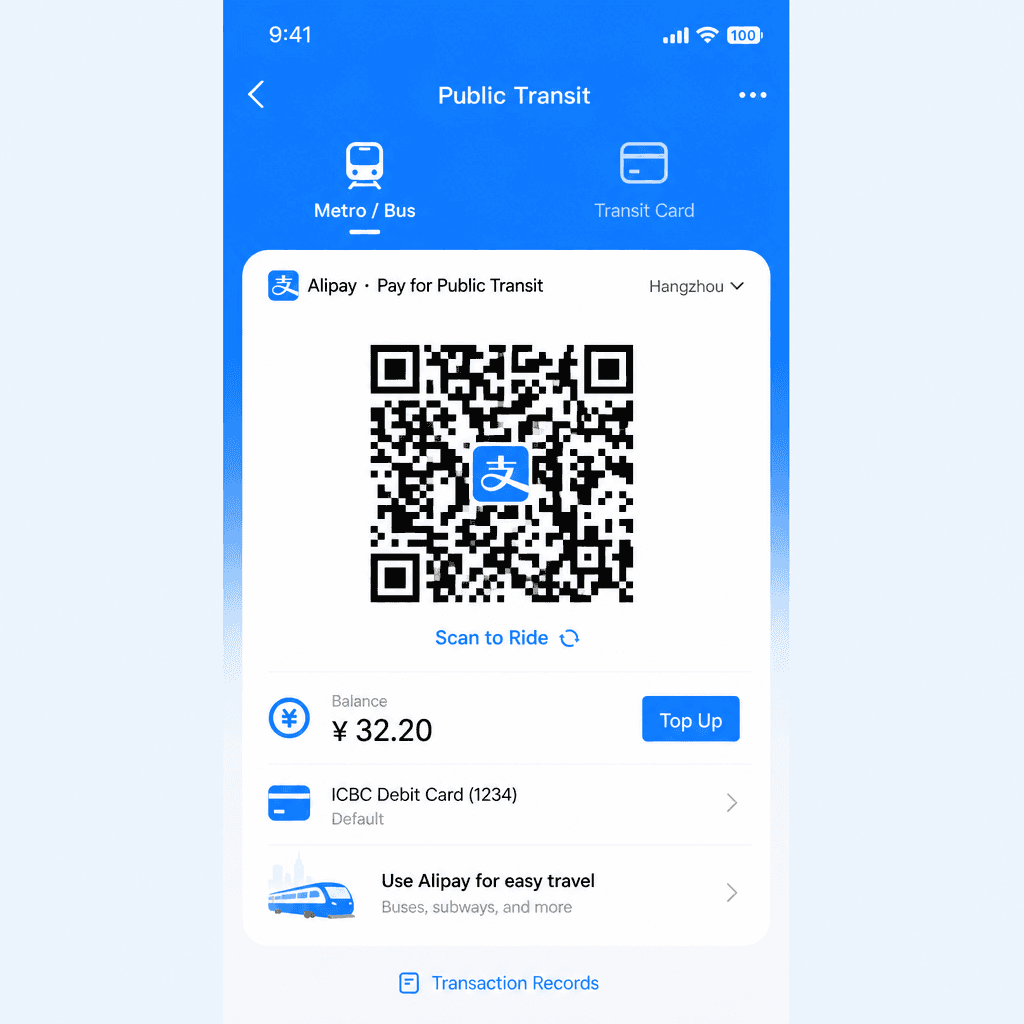
- Public transit: Tap the transportation icon on the homepage, select your city, and choose subway, bus, or bike to get a transit QR code.
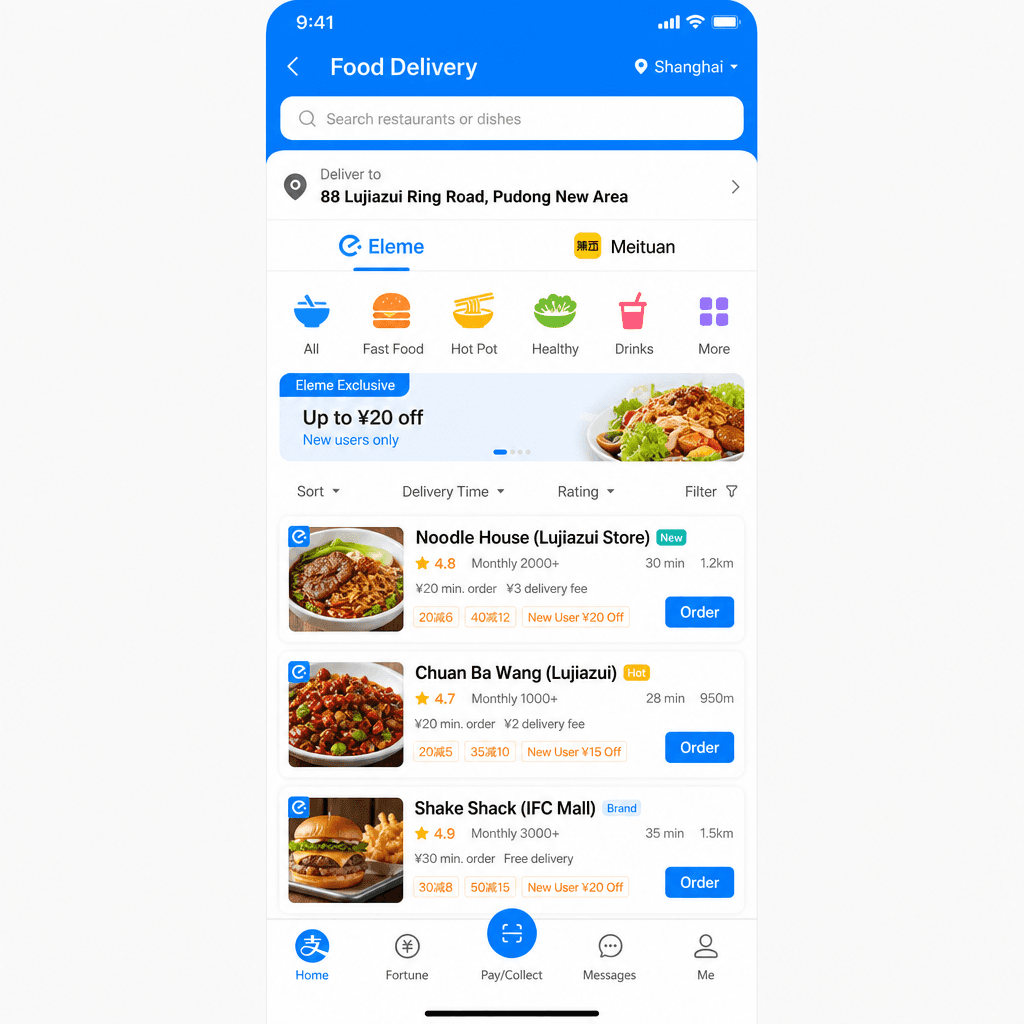
- Food delivery: Open Alipay → tap Food Delivery → choose Ele.me or Meituan to order meals without leaving the app.
Troubleshooting
Identity verification failing? Make sure your passport photo is well-lit and all text is clearly visible. Try again in good lighting.
Card not accepted? Some international prepaid cards and virtual cards are not accepted. Use a physical Visa or Mastercard from a major bank. JCB, Discover, and Diners Club are also supported.
Can't use Alipay without a Chinese phone number? Yes you can — register with your international phone number. Most countries/regions are supported for SMS verification.
Use Alipay in real travel situations
Practical guides where this app is part of the solution.
How to Link an International Card to Alipay
Link your Visa or Mastercard to Alipay before leaving home — the key setup step that makes cashless payments possible across China.
Read Guide →How to Pay at Shops and Restaurants with Alipay
Scan a QR code or show your payment code — how foreign tourists pay at shops, restaurants, and street stalls using Alipay.
Read Guide →Essential Apps for China Travel
The four apps every foreign tourist needs before landing in China — and how to set them up.
Read Guide →International to Domestic Transfer in China: Airport Walkthrough
Immigration, baggage recheck, airport changes — how international-to-domestic transfers work in China, and how much time to allow.
Read Guide →Beijing Aquariums: Underwater Tunnels & Night Sessions to Beat the Summer Heat
Four Beijing aquariums with walk-through underwater tunnels make an easy air-conditioned escape from peak summer heat — including rare night sessions at Beijing Aquarium on July 24, 25 and 31, 2026.
Read Guide →How to Filter for Foreigner-Friendly Restaurants on Dianping
Find restaurants in China that welcome foreign tourists — use Dianping filters and signals to spot English menus, international payment, and tourist-friendly service.
Read Guide →