

Amap
Why You Need It
Google Maps barely works in China. Data is outdated, walking directions are unreliable, and the service requires a VPN. Amap (also called Gaode Maps) is built for Chinese roads, transit, and addresses, and it's used by Didi and Alipay under the hood. With English support and offline maps, it's the navigation app to install before your trip.
You can use Amap in guest mode without registering — basic navigation works fine without an account.
Installation
1. Download Amap
Search 'Amap' in the App Store (iOS) or Google Play (Android). Install before arriving in China, since Google Play is blocked there.
2. Skip or register
Tap 'Skip' on the login screen for guest mode, or register with an international phone number for the full feature set.
3. Switch to English
Open Settings → Language → English. The interface translates, though some place names and voice prompts remain in Chinese.
4. Allow location access
Grant the app location permission so it can place you on the map and route from your current spot.

Setup: Offline Maps
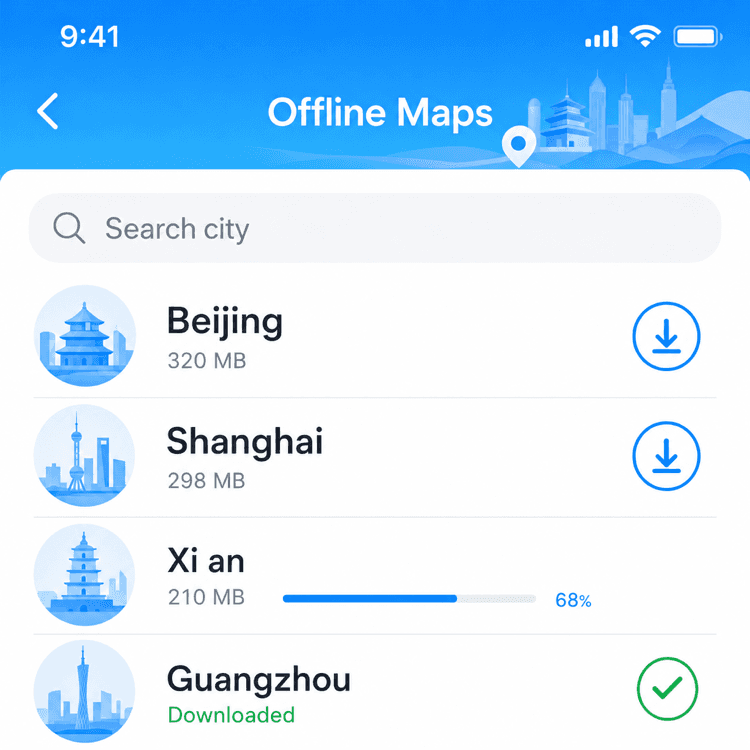
Download offline maps for the cities you'll visit before you go. They keep working without data and during VPN flakiness.
1. Open the offline maps menu
Go to Me → Offline Maps.
2. Pick your cities
Search and tap each city you'll visit (e.g. Beijing, Shanghai, Xi'an). City packs are a few hundred MB each.
3. Download on Wi-Fi
Download over hotel or home Wi-Fi to avoid roaming charges.
Usage Tips
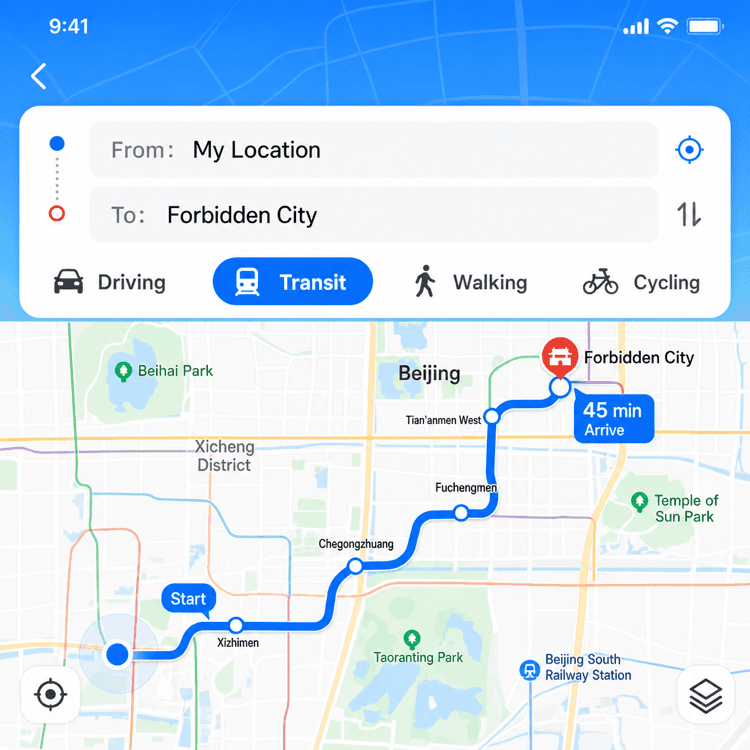
- Walking, driving, transit, cycling: Amap supports all four modes. Transit includes metro, bus, and intercity rail with real-time arrivals.
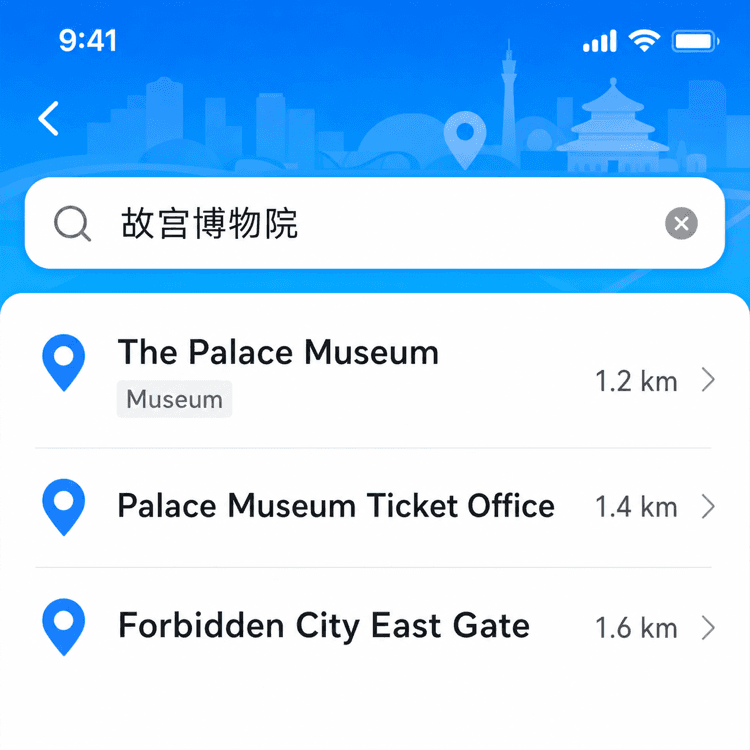
- Search Chinese place names: If a search fails in English, paste the Chinese name from the hotel or restaurant's website — Amap recognizes it instantly.
- Save your hotel: Star your hotel as a Favorite right after arrival so you can route home in one tap.
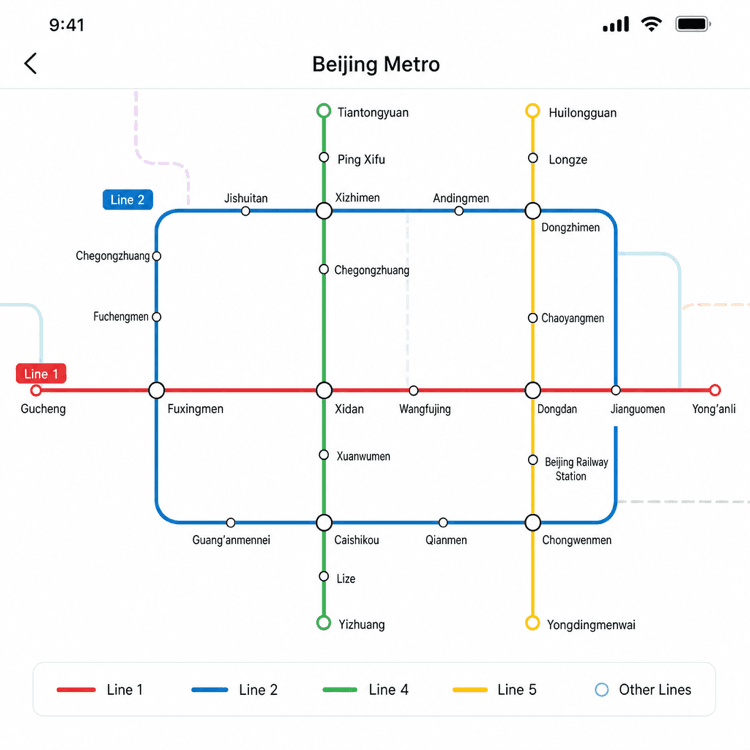
- Subway maps: Tap the metro icon on the home screen for a clean schematic of any city's subway system.
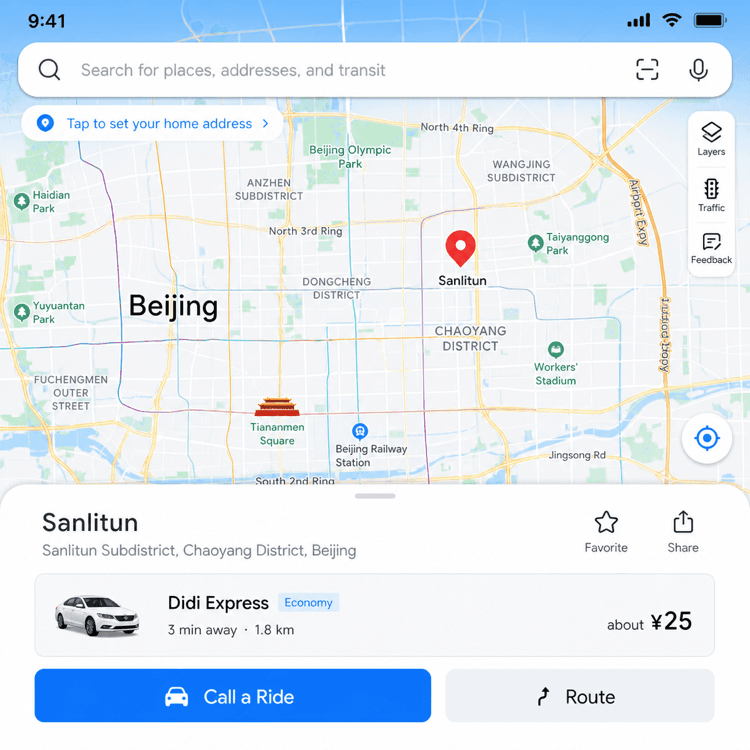
- Use as Didi backend: Long-press a destination and select 'Ride' to call a Didi car directly from Amap.
Troubleshooting
Search returns nothing? Try the Chinese characters instead of the English transliteration. Amap's database is overwhelmingly Chinese-first.
Voice navigation in Chinese only? Some voice packs are Chinese-only. Mute voice and follow the on-screen turn-by-turn arrows.
Map looks empty offline? Check Me → Offline Maps to make sure the city pack actually finished downloading. Re-download if needed.
Use Amap in real travel situations
Practical guides where this app is part of the solution.
Beijing Aquariums: Underwater Tunnels & Night Sessions to Beat the Summer Heat
Four Beijing aquariums with walk-through underwater tunnels make an easy air-conditioned escape from peak summer heat — including rare night sessions at Beijing Aquarium on July 24, 25 and 31, 2026.
Read Guide →How to Download Offline Maps in Amap Before Arriving
Download city maps in Amap before you arrive so you can navigate without mobile data — essential for subway stations and areas with poor signal.
Read Guide →How to Find Metro Stations and Plan Subway Routes with Amap
Use Amap to find the nearest metro station, plan your subway route, and know exactly which exit to use — in any Chinese city.
Read Guide →How to Navigate Chinese Cities with Amap (Gaode Maps)
Use Amap for walking, transit, and driving directions in China — it works where Google Maps doesn't and covers every city and town.
Read Guide →How to Search for Restaurants and Attractions by Name in Amap
Search for any restaurant, attraction, or business in Amap using English — find it on the map, get directions, and see opening hours.
Read Guide →Sun Quan's Fried Gluten Puffs: The Snack Worth a Half-Day Trip from Hangzhou
Crispy outside, juicy bamboo-shoot-and-pork inside, CNY 3–10 a serving — Sun Quan's fried gluten puffs come from Longmen Ancient Town, a living Ming-Qing village an hour from Hangzhou.
Read Guide →